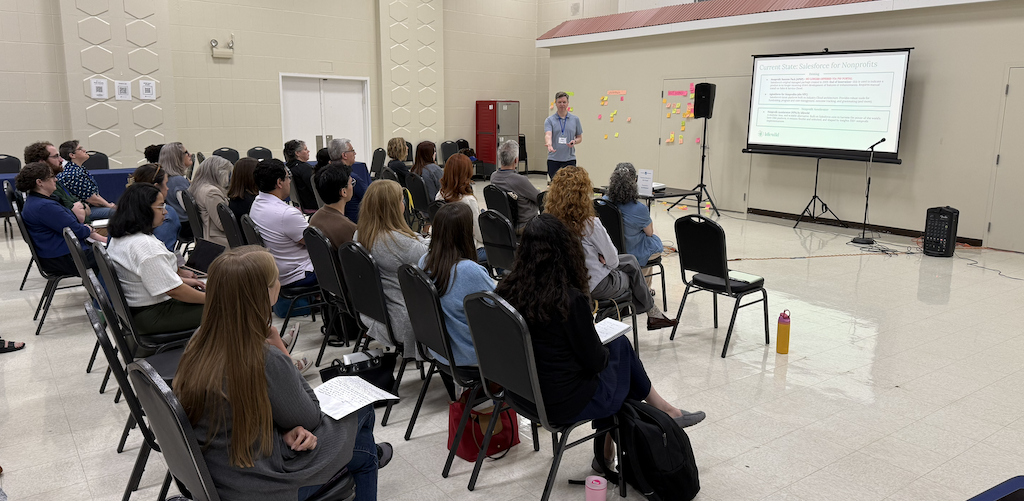
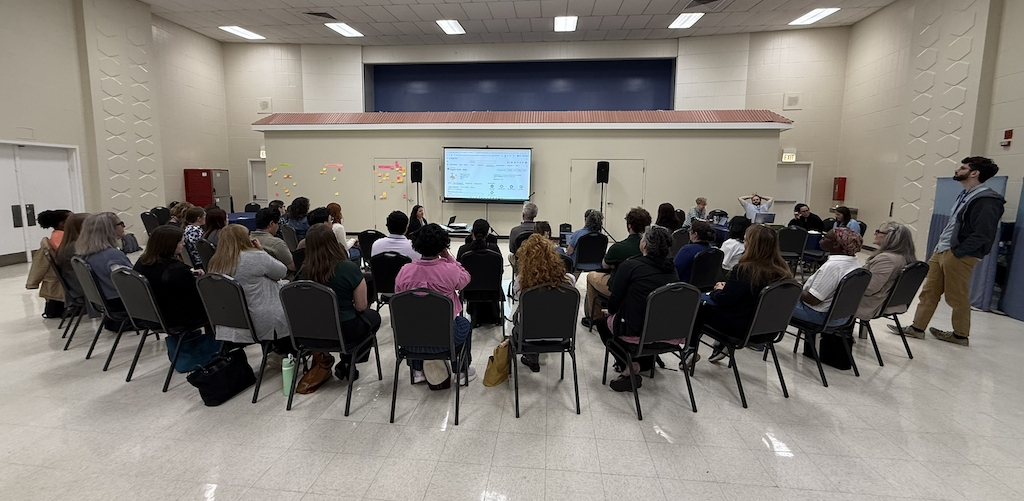
We're back with a recap of NPSP Day Chicago! On June 4, the Salesforce nonprofit community gathered at the Bernard Horwich JCC for a full day of learning, collaboration, and community building.
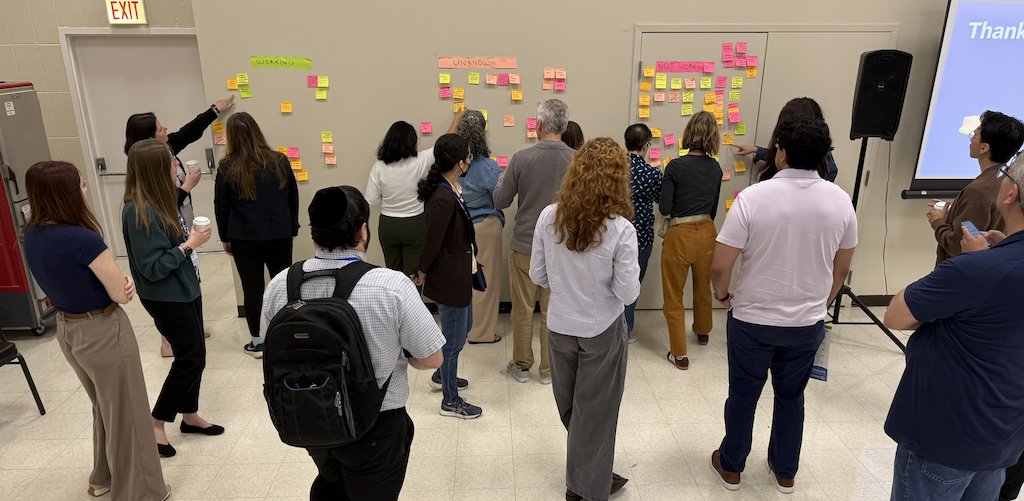
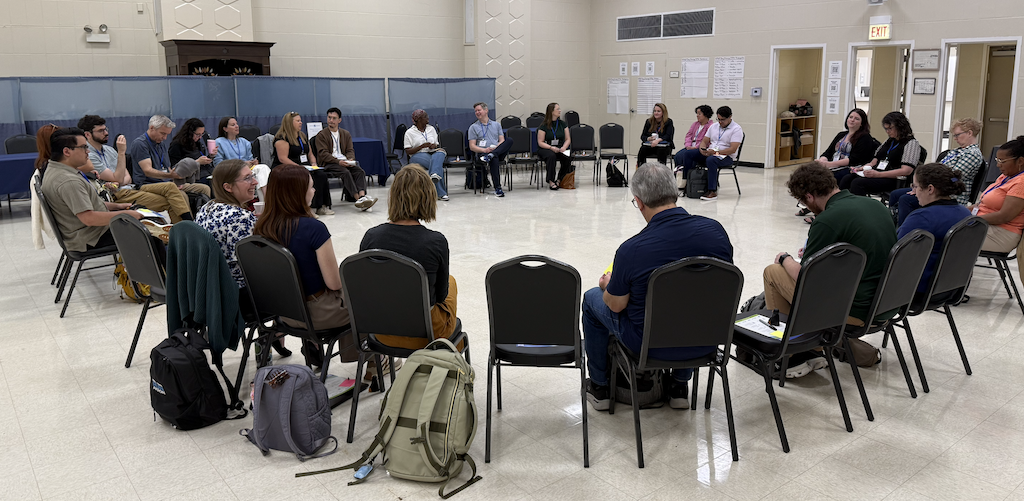
The energy in the room was everything NPSP Day is known for. Attendees arrived ready to share, ready to listen, and ready to dig into the real challenges of nonprofit Salesforce administration. From morning introductions through the final session, conversations were honest, practical, and grounded in the day-to-day realities of the work. As one attendee put it: "Of all Salesforce related convenings and conferences, NPSP Day is consistently the most valuable to me. By letting participants set the agenda, we get to talk through the real-life problems that matter most to us."
A huge thank you to our sponsors, Idlewild Partners and Data Geeks Lab, whose support helped make the day possible!
Across every session, a common thread ran through the conversations: the people doing this work are creative, resourceful, and deeply committed to getting it right. Whether tackling duplicate records, finance reconciliation, or getting reluctant users to log into Salesforce, attendees shared hard-won lessons with generosity and humor. Below is a look at the breakout sessions and key takeaways from the day.
Breakout Session Topics
Breakout Sessions & Key Takeaways

User Adoption
Getting people to actually use Salesforce is one of the most persistent challenges in nonprofit technology. This session surfaced a range of creative strategies, from gamified training to governance structures that make good data practices part of the job itself.
Key Takeaways
- Gamification makes training stick: Retraining programs built around competitions with prizes help ensure users maintain a baseline of Salesforce knowledge and stay engaged over time.
- Leadership buy-in changes the dynamic: When organizational leadership visibly supports Salesforce adoption, it shifts the culture around the system and makes it easier to hold users accountable.
- Power users extend your reach: Identifying champions within each department distributes the work of training and support, and helps Salesforce feel less like something IT manages and more like something the whole team owns.
- Data governance belongs in job descriptions: Incorporating data management responsibilities into performance evaluations and role descriptions signals that data quality is a shared organizational priority, not a side task.
- Find the "sweet spot" for reluctant users: Showing a hesitant user one feature that genuinely makes their work easier can be the turning point that transforms them into a Salesforce advocate.
- Internal knowledge sharing compounds over time: Documentation, training series, and train-the-trainer programs create a foundation that new staff can build on and experienced staff can contribute to.
Fundraising Best Practices
This session ranged across the practical details of donor management in Salesforce, from pledge reminders and soft credits to acknowledgment workflows and how development and accounting teams can find common ground on data.
Key Takeaways
- Automate pledge reminders to reduce manual follow-up: Building reminder workflows in Salesforce keeps donors on track without requiring staff to manage the process manually.
- General Accounting Units clarify fund allocation: Using GAUs to organize where money belongs helps both development and finance teams understand the purpose behind each gift.
- Soft credits serve different purposes for different organizations: Attendees discussed rebranding soft credits, using contact roles to clarify relationships to opportunities, and tracking board member giving credit in ways that fit their specific reporting needs.
- Acknowledgment workflows benefit from standardization: Building acknowledgment processes into Salesforce reduces the risk of donors slipping through without appropriate follow-up.
- Preferred name handling matters for donor relationships: Capturing and using preferred names in communications is a small detail with a real impact on how donors experience your organization.
- Development and accounting speak different languages: Aligning on terminology, record types, and reporting practices between teams takes intentional effort but pays off in cleaner data and fewer reconciliation headaches.
Reports & Dashboards
Reporting in Salesforce is powerful, but it has its limits. This session explored when to lean into native Salesforce reporting, when to pull data out for analysis elsewhere, and some practical workarounds for dashboard constraints.
Key Takeaways
- Sometimes the right tool is outside Salesforce: When data is spread too broadly across the org, exporting for analysis in a dedicated tool can produce cleaner, more useful reports than trying to force everything through native Salesforce reporting.
- AI-assisted reporting requires careful data hygiene: If you're running Salesforce report data through AI tools for analysis or summarization, use a private, paid account to protect constituent data.
- Dashboard component limits have a workaround: Adding multiple dashboards to a single page via tabs is an effective way to surface more data without hitting the component cap on any one dashboard.
See how Soapbox Engage integrates with Salesforce
Soapbox Engage is a suite of online engagement apps — donations, events, forms, and more — with real-time Salesforce and Microsoft Dynamics integration built in.
Explore the AppsData Integrity
Data integrity is an ongoing discipline, not a one-time project. This session covered everything from duplicate management and validation rules to the challenges of integrating data from external registration and webinar platforms.
Key Takeaways
- People make mistakes, and that's part of the job: No system design fully eliminates data entry errors. Accepting that reality and building workflows that catch and correct problems is more sustainable than trying to prevent them entirely.
- Duplicate and matching rules need regular tuning: A starting point of fuzzy first name, exact last name, and exact email tends to work well for many organizations, but rules should be reviewed as your data evolves.
- Multi-select picklists create reporting headaches: While convenient for data entry, multi-select picklists are messy on the backend and can complicate distribution lists and reports. Object-based tagging can be a cleaner alternative for some use cases.
- External data sources need a tagging strategy: When importing data from registrations, webinars, or other outside systems, establishing consistent tagging at the point of import makes it much easier to report on that data later.
- Form validation reduces downstream cleanup: Pre-filling forms for known contacts, using validation rules, and building review steps into intake workflows can catch errors before they reach Salesforce.
- Constituent life cycle mapping reveals gaps: Taking the time to chart how a constituent moves through your organization, from first contact to long-term engagement, can surface missing touchpoints and inform both data collection and system design.

Finance Integrations
Connecting Salesforce to a finance system is one of the more complex integration challenges nonprofit teams face. This session surfaced the technical realities, the organizational dynamics, and the hard-earned wisdom of those who have navigated it.
Key Takeaways
- Two-way syncs require serious planning: Bidirectional integration between Salesforce and finance systems is possible, but it demands the right expertise upfront and a thorough analysis before any build begins. Rushing in creates problems that are difficult to unwind.
- Reconciliation is a full-time job: In many organizations, one person owns the ongoing work of keeping development and finance data aligned. That work includes budget processes, financial reports, and managing exceptions. It's not a side hustle.
- Finance and development see data differently: The two teams often have fundamentally different views of the same information. What looks like a data problem is frequently a people and process problem. Alignment takes intentional cross-functional work.
- Finance is often the system of record: For many organizations, the goal is to have Salesforce reflect what finance holds as true, not the other way around. Understanding which system leads informs how integrations should be designed.
- Sometimes the right answer is not to integrate: When systems become too tightly intertwined, it can be hard to know where information lives and who owns it. A clean, manual reconciliation process is sometimes more reliable than a complex automated sync.
- Label changes can break things: Even minor field label updates in one system can throw errors in an integration. Build in monitoring and communication practices to catch and address these issues quickly.
Email, Calendar, Meeting & Telephony Sync
Keeping communication activity logged in Salesforce without creating extra work for staff is a challenge many organizations are still solving. This session covered the landscape of tools available today and where each one fits.
Key Takeaways
- Einstein Activity Capture is the direction Salesforce is heading: The Outlook/Salesforce sync is bidirectional today but is moving toward Einstein Activity Capture as the long-term path. Free Gmail and Outlook plug-ins are sunsetting in 2027.
- Einstein Activity Capture has a free tier worth exploring: The free version syncs emails and calendar events between Outlook and Salesforce with some field limitations. It's bundled without additional charge in most subscriptions up to 100 users, though the line between free and paid features isn't always clearly documented.
- Salesforce Scheduler goes deeper on appointments: For organizations that need to log service appointments and calendar events directly to contact activity, Salesforce Scheduler offers a paid, per-user option worth evaluating.
- Telephony integrations exist but have quirks: RingCentral can log calls and texts to contact records and surface inbound calls in Salesforce, but it has a known behavior of automatically opening a caller's record mid-session, which can disrupt unsaved work.
- Texting apps are expensive: Options like Twilio, Mogli, and 360 SMS were mentioned as functional but costly, and worth evaluating carefully against actual communication volume and budget.
Household and Contact Management
Managing constituent relationships across households, life stages, and program histories is a challenge that touches nearly every nonprofit using Salesforce. This session explored strategies for tracking complex relationships without creating data management nightmares.
Key Takeaways
- Map the constituent life cycle before building: Tools like Lucidchart can help teams visualize how a constituent moves through an organization from first contact to long-term engagement, revealing gaps in data collection and system design before they become problems.
- Life stage transitions need intentional design: Tracking a participant's journey from youth program enrollee to adult donor, or from camper to alumni, requires deliberate modeling so records don't lose continuity as relationships evolve.
- Attribute and tag modules extend native functionality: Solutions like the Attributes Module and custom prospect objects with dates and notes allow organizations to track interests, source codes, and engagement history in ways that are reportable and filterable.
- Access control protects sensitive development records: Account teams, hierarchy sharing, and user type configurations can restrict visibility into development-specific contacts and activities, keeping sensitive donor information appropriately protected.
- Email logging with visibility controls is possible: Einstein Activity Capture includes options to hide logged emails from certain users, which helps address confidentiality concerns while still keeping communication history in Salesforce.
- Household complexity compounds quickly: Adult children separating into their own households, families using multiple email addresses across contacts, and students appearing across multiple parent records all require clear data governance rules and consistent team practices.
See how Soapbox Engage integrates with Salesforce
Soapbox Engage is a suite of online engagement apps — donations, events, forms, and more — with real-time Salesforce and Microsoft Dynamics integration built in.
Explore the Apps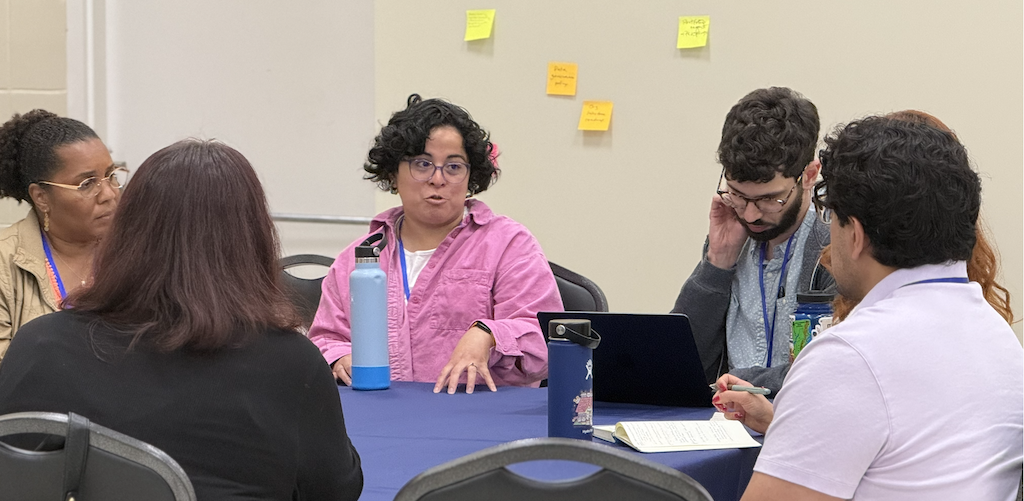
Third-Party Products
The nonprofit Salesforce ecosystem is full of options, but knowing which tools are worth the investment isn't always easy. This session covered a wide range of products across document generation, data management, event integrations, analytics, and more, including candid takes on what's working and what isn't.
Key Takeaways
- Document generation tools are widely used: Conga remains a popular choice for letters, emails, and batch doc gen with flexible output options. FormAssembly and Apsona were also highlighted as capable alternatives that serve double duty across forms and document workflows.
- Event tool integrations with Salesforce are still lagging: Platforms like GiveSmart and iDonate have limited or no NPC integration, and even NPSP integrations are often weak. Organizations evaluating event tools should scrutinize data flow capabilities carefully before committing.
- Wealth screening tools work best with realistic expectations: iWave and WealthEngine can surface useful information, but findings need to be taken with a grain of salt and often require manual digging. Integration depth is minimal, and attendees questioned whether cost aligns with value for many organizations.
- Jetstream is a strong admin utility: For permission management, metadata queries, and data loading, Jetstream was highlighted as a useful tool for Salesforce administrators.
- IT teams and admins sometimes speak different languages about integrations: When IT departments assume that all integrations must come through the AppExchange, they may block or complicate legitimate solutions that connect via API or other methods. Building shared vocabulary across teams helps.
- Formstack doesn't live up to its billing: Sold as a combined solution for forms, document generation, and e-signature, Formstack was flagged as underperforming across all three use cases.
- Salesforce Inspector Reloaded and Time Warp are worth installing: Salesforce Inspector Reloaded (install the connected app, not just the Chrome extension) is a powerful admin tool for data inspection and import. Time Warp, a free app from Salesforce Labs, provides a timeline view of related records for any object.
Closing Thoughts
NPSP Day Chicago was a reminder of why this community is so special. Attendees came ready to be honest about what's hard and generous about what's working. As one participant put it: "I love the vibe of the NPSP community. There is a lot of ingenuity in the room and a vibe of taking care of each other. At the very least, if you are struggling in your own organization, it's super validating to see that almost everyone else is struggling with the same thing."
That spirit of openness and mutual support is what makes NPSP Day different from other events. The agenda is shaped by the people in the room, and the takeaways are real, practical, and immediately applicable.
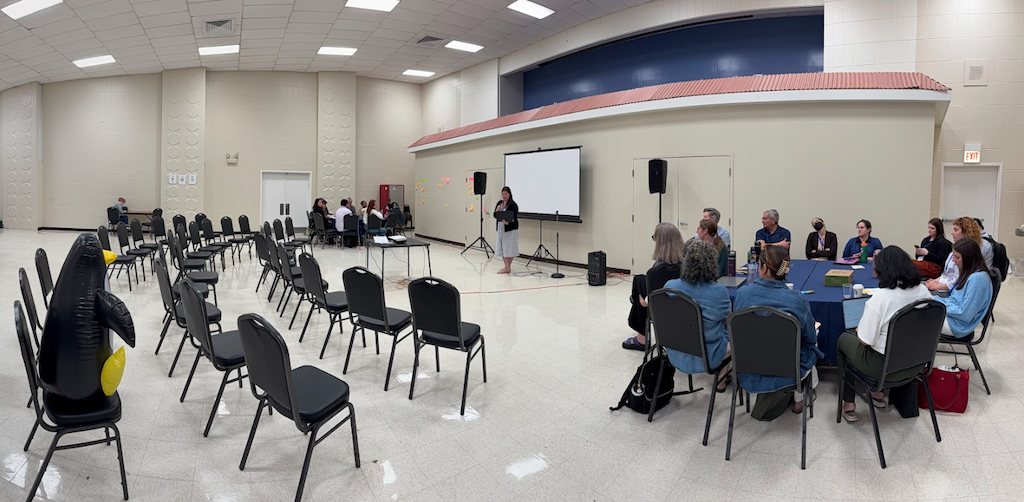
Thank you again to the Bernard Horwich JCC for hosting us, and to Idlewild Partners and Data Geeks Lab for sponsoring the event.
We look forward to seeing everyone again soon at a future NPSP Day! You can also read recaps from other recent events: NPSP Day Boston, NPSP Day Oakland, and NPSP Fundraising Day New York.
Want to be part of the next NPSP Day?
NPSP Days are free, community-run events for nonprofit Salesforce users. Check the schedule for upcoming events in your city.
See Upcoming NPSP Days
 Donations
 Events
 Petitions
 Forms
Forms Shop
Shop Directories